
Enabling ratepayers to report a change to their property
This journey lets users tell the Valuation Office Agency about physical changes to their non-domestic property. That’s things like changes to floor areas and internal features. Users must do this under the business rates reform legislation.

-
What the VOA does
The VOA sets the rateable value of non-domestic properties. A rateable value is the amount of rent a tenant would pay a year to rent a property, on a certain date. Local councils use each property’s rateable value to set the business rates they collect.
The VOA also sets the council tax bands for domestic properties. Local councils use these bands to collect the right amount of Council Tax from occupiers. Business rates reform only deals with non-domestic properties.
How ratepayers currently interact with the VOA
Before these reforms come into effect, the 2 main ways in which a ratepayer comes into contact with the VOA are to:
respond to a request from the VOA for information about their rent and lease
challenge the rateable value the VOA has set
There are 2.1 million non-domestic properties in England and Wales. Only a small proportion of these (about 10% to 20%) have had any contact with the VOA.
What users have to do under the reforms
Ratepayers will have to:
tell the VOA that they are the ratepayer of a non-domestic property
report certain physical changes to the property
report that they have a new rent agreement, or that the rent or agreement details have changed
This journey lets the user report physical changes to floor areas and certain internal and external features.
To do this, the user first has to sign up to the ‘manage your business rates valuation’ service, and add their property to their account.
The user can then start the journeys to report physical changes, and rent and agreement changes from tiles on the dashboard.
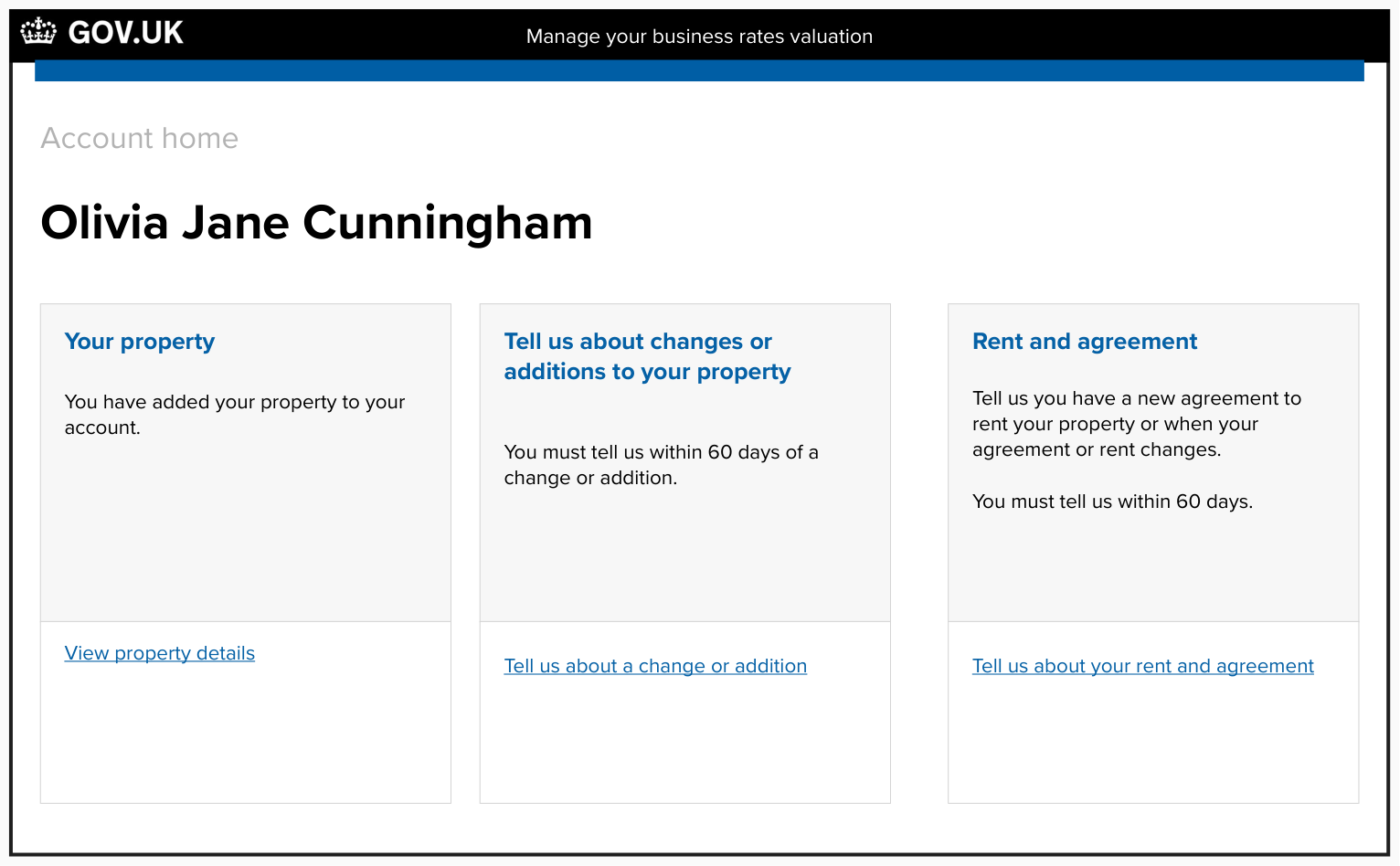
The user's account home, showing that they have added their property to their account (MVP day one users will only have one property) and they can report a change

Screen that let's the user select their property

Screen that lets the user select they kind of change they have made to their property
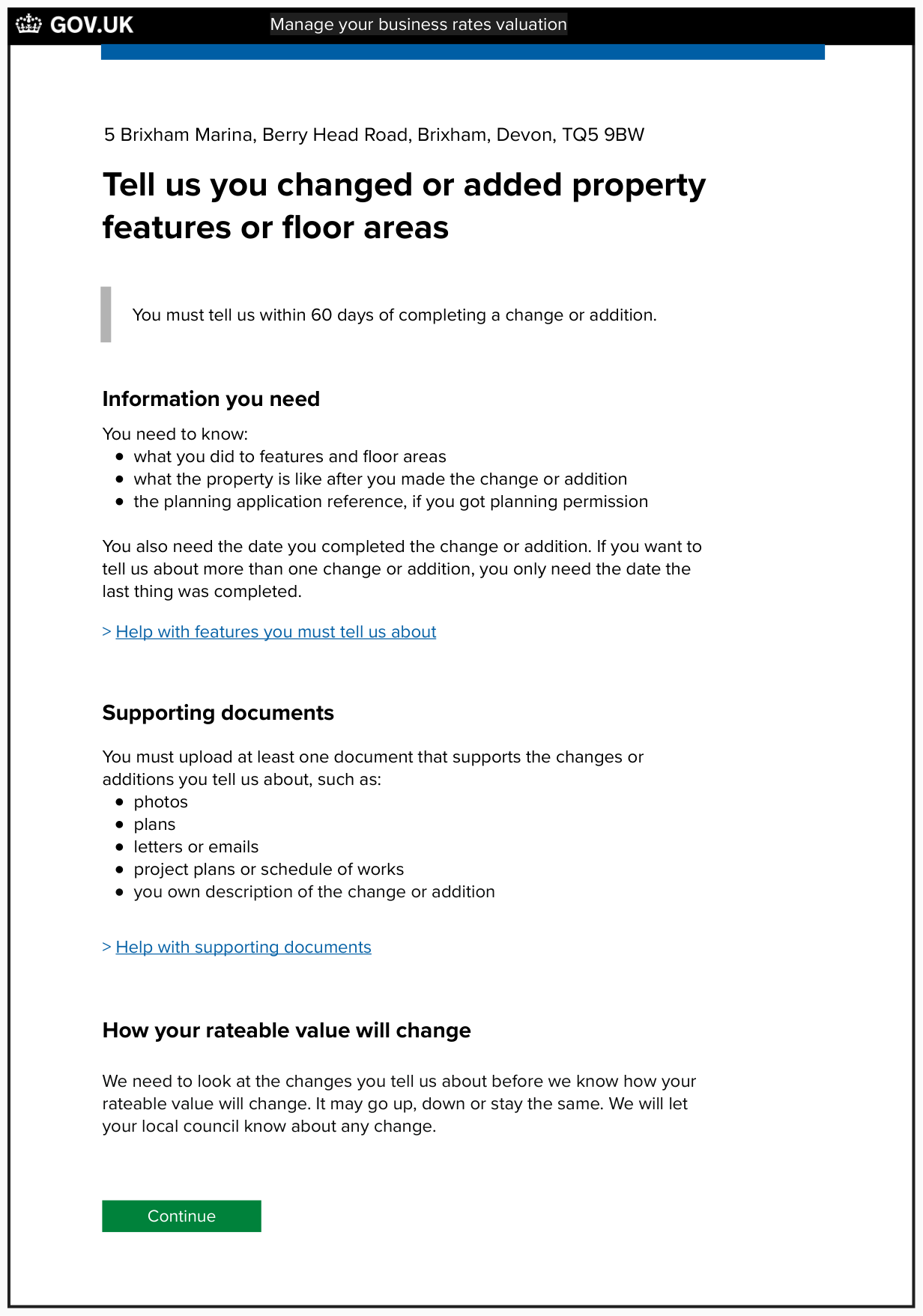
Screen that gives us the user an overview of the task and what they need to complete it

Screen that shows which features the user must report changes for
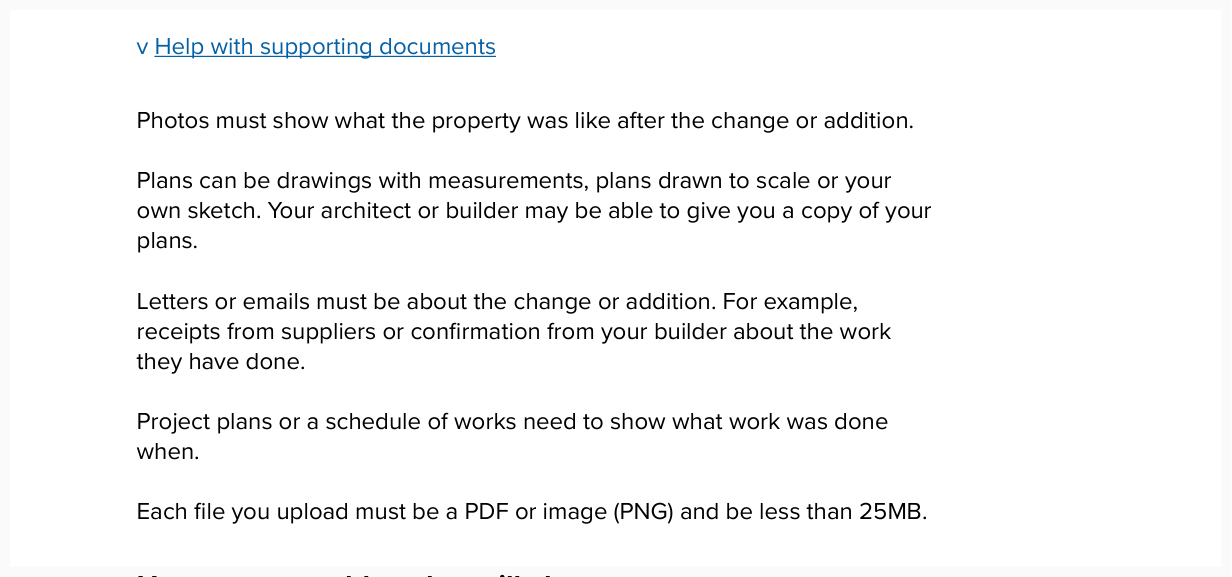
Screen that shows more detail about the supporting documents the user can upload

Screen that asks the user when they completed the change or addition
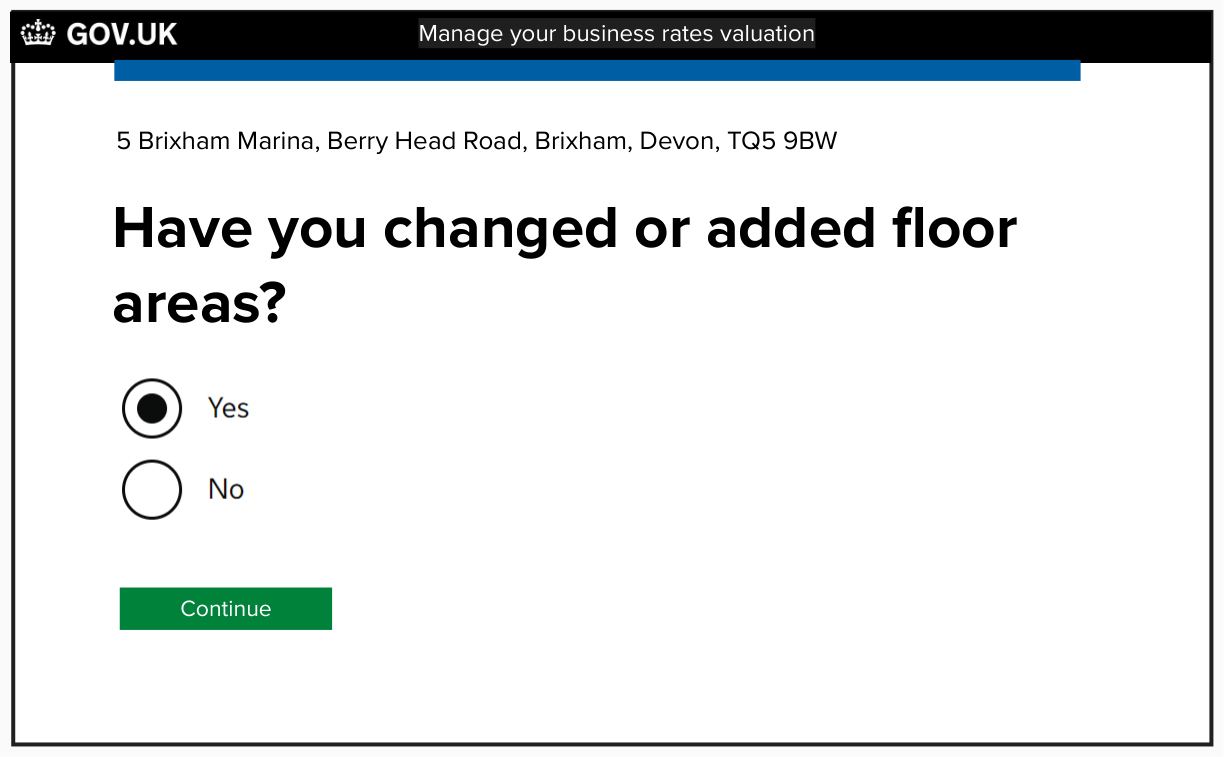
Screen that asks the user if they changed or added floor areas

Screen that asks the user what they did to change or add floor areas
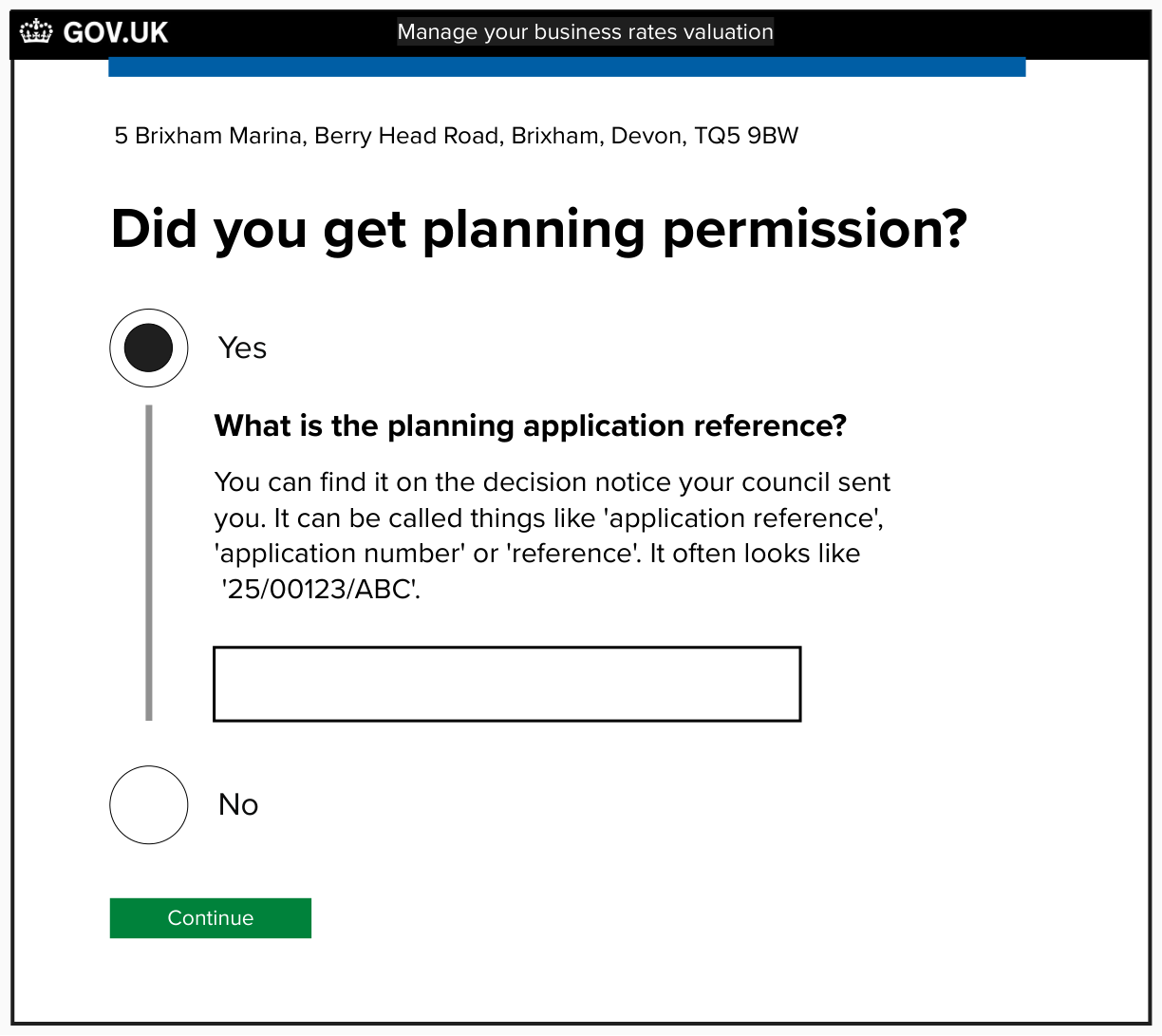
Screen that asks the user if they got planning permission

Screen that asks the user if they changed or added internal features
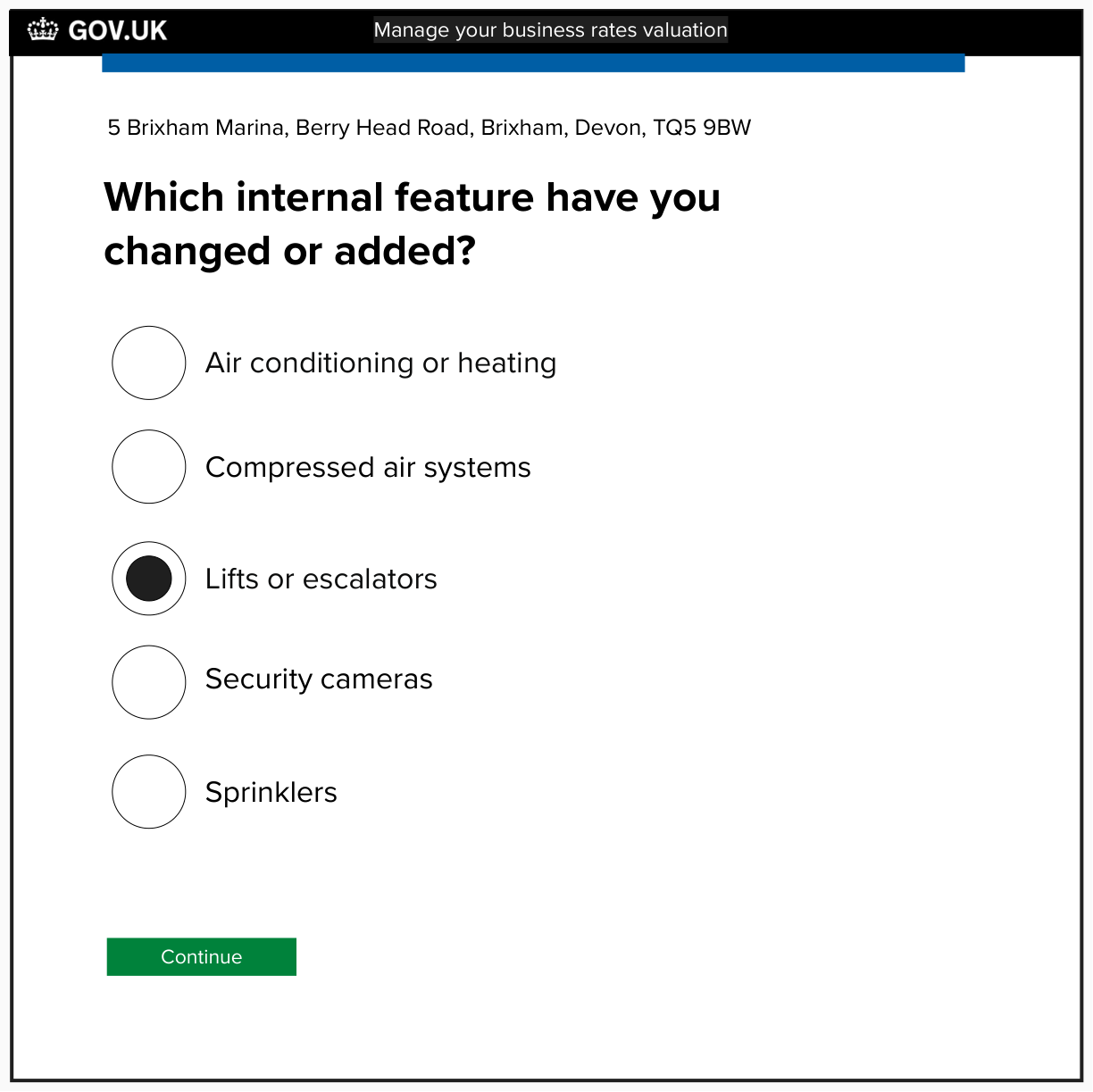
Screen that asks the user which internal feature they changed or added - this is triage step one
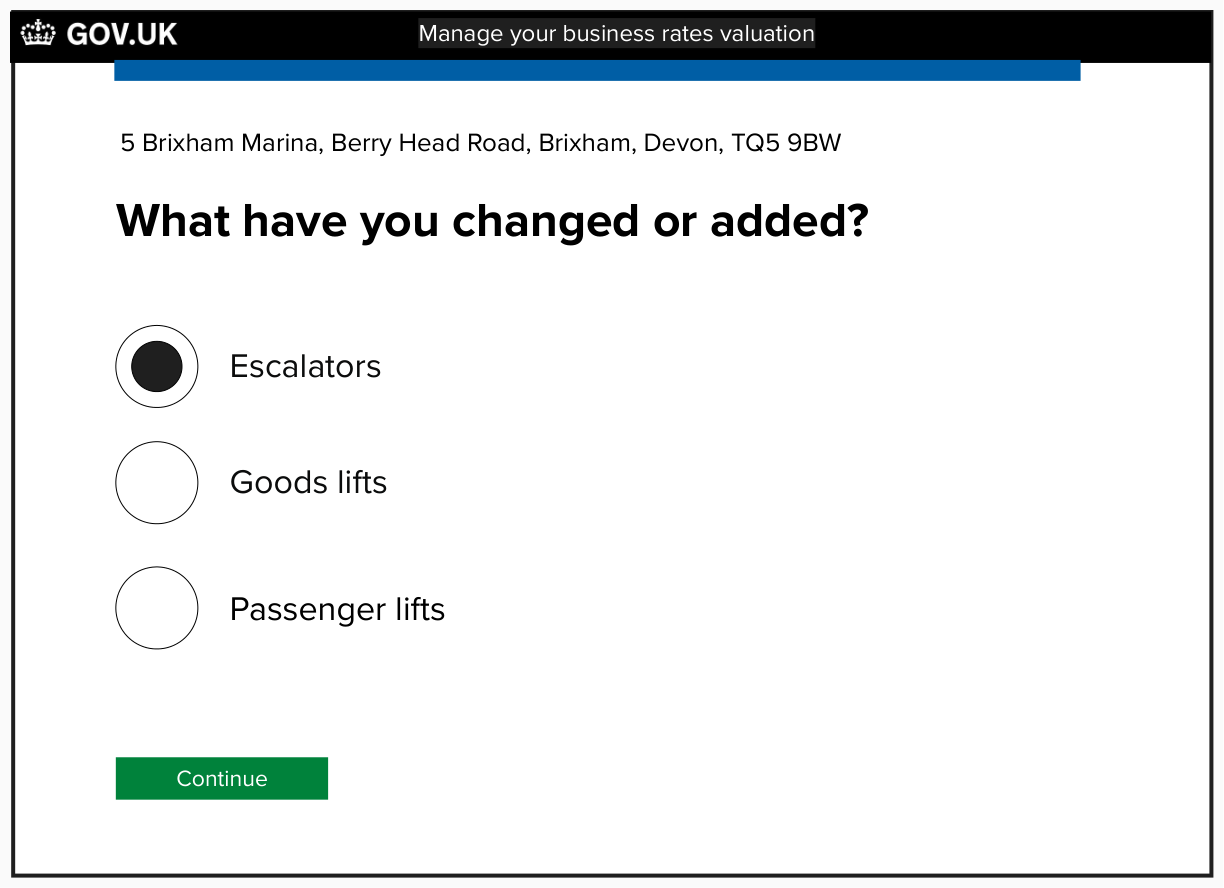
Screen that asks the user which internal feature they changed or added - this is triage step 2
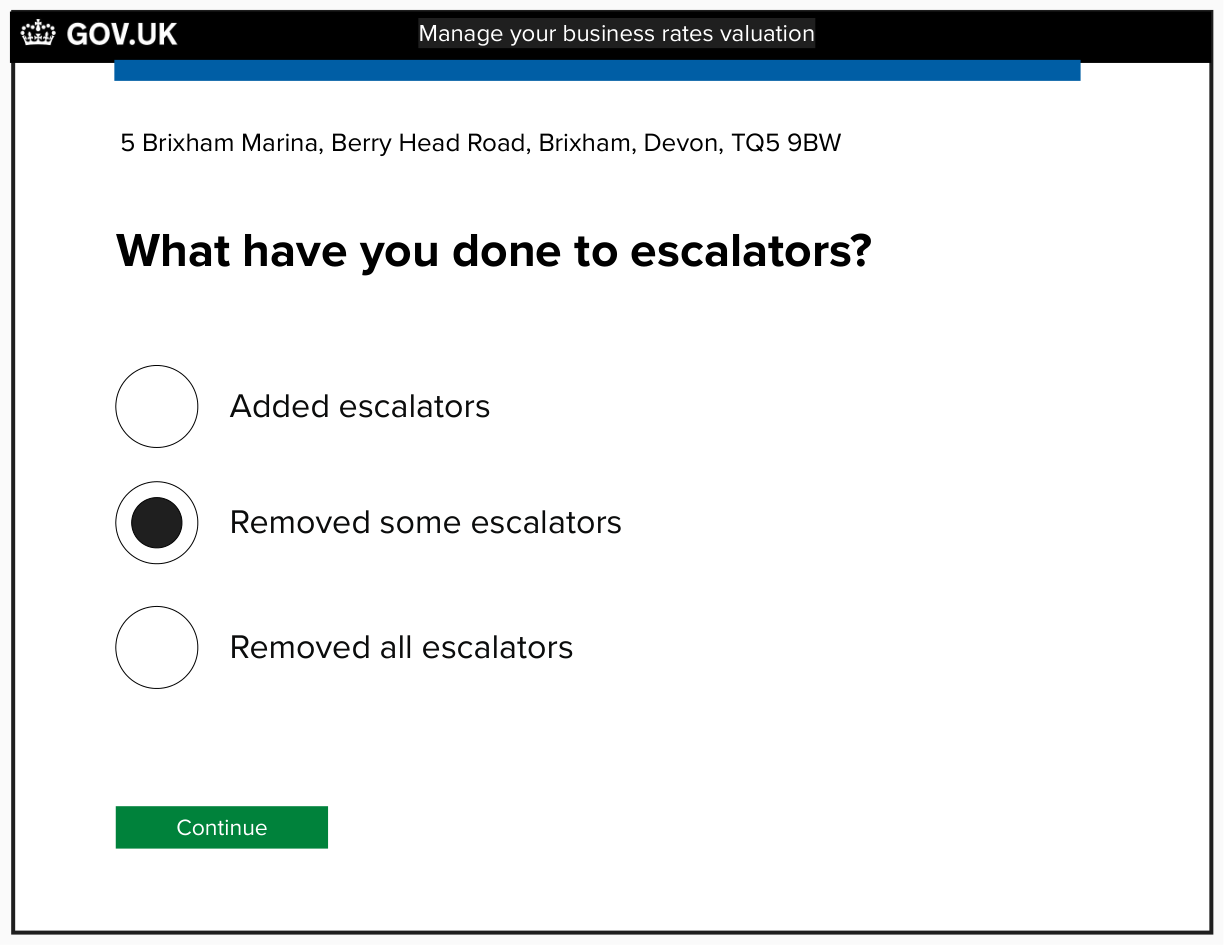
Screen that asks the user what they have done to escalators

Screen that asks the user where escalators are in the property after the change or addition

Screen that plays back details the user has given about internal features

Screen that asks the user is they have changed or added external features
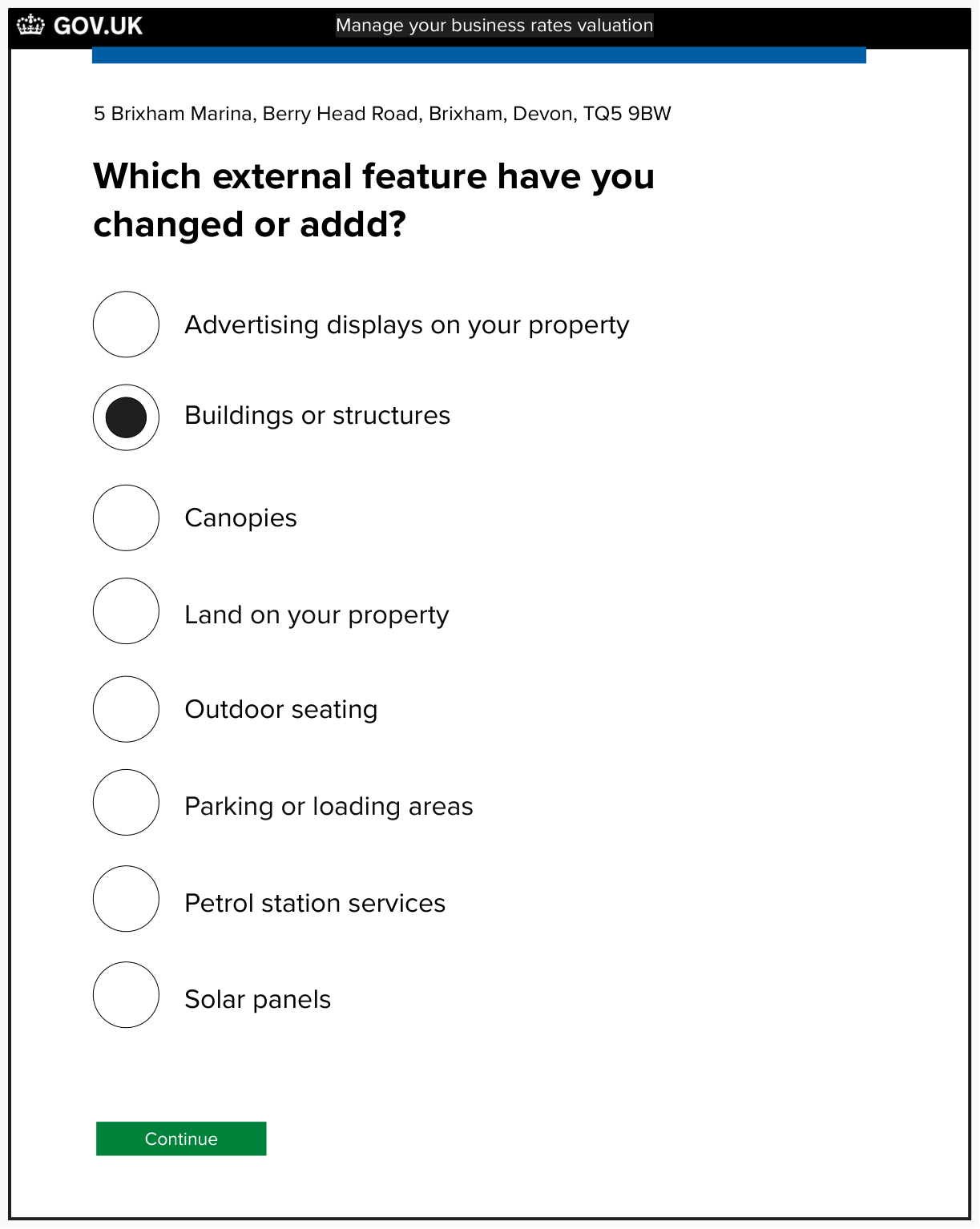
Screen that asks the user which external feature they have changed or added - this is triage step one

Screen that asks the user which external feature they have changed or added - this is triage step 2

Screen that asks the user how many lock-up garages there are after the change or addition

Screen that plays back details the user given about external features
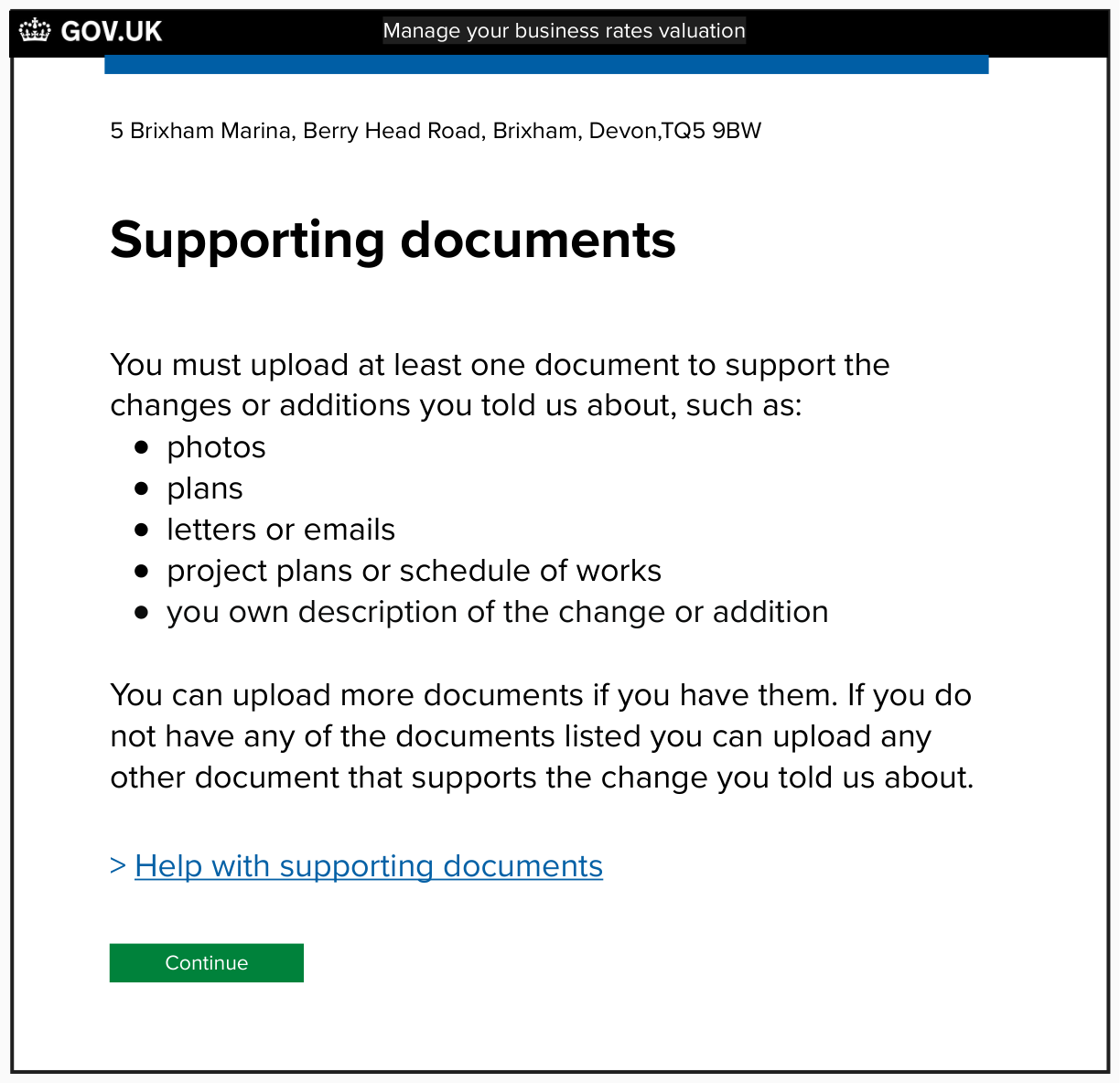
Screen that guides the user about the supporting documents they need to upload
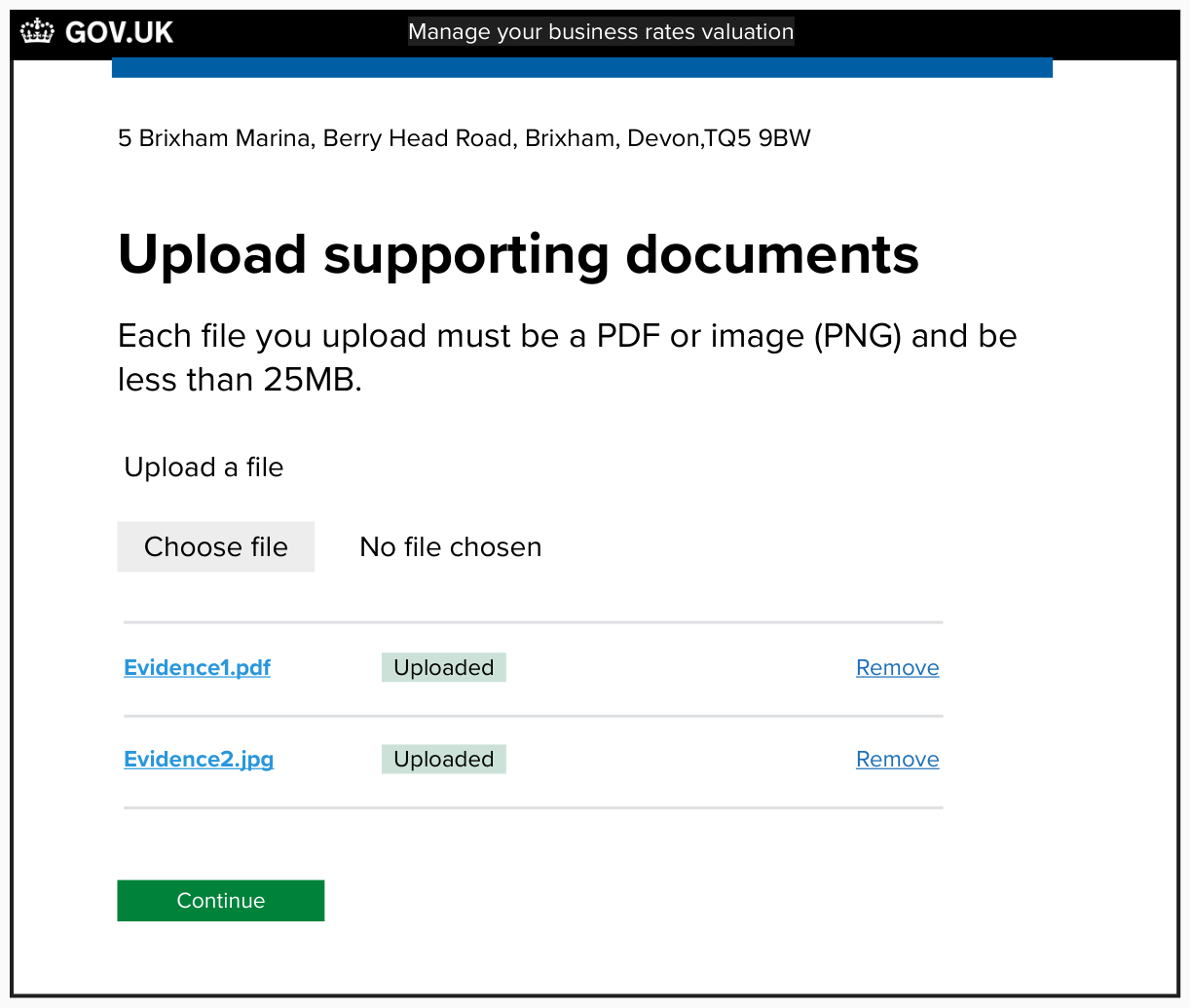
Screen that lets the user upload files

Screen that plays back all the details the user has given in the journey
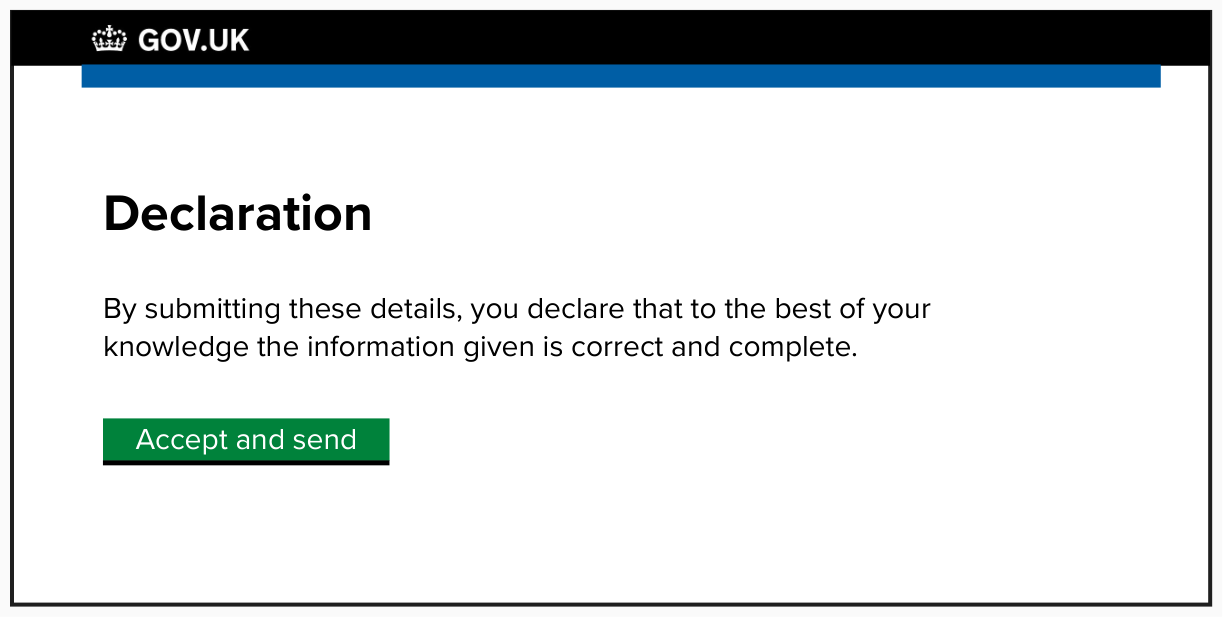
Screen that allows the user to accept a declaration and send the details

Screen that confirms the user has completed the tasks and what happens next